Tackling performance issues
Looking at server statistics, the Vulkan database alone is serving up to 3 million requests per month. A number I would’ve never imagined when I first created this back in 2016. It’s quickly approaching 50k reports and one drawback of such a huge trove of data in combination with that many requests: Performance issues. The database server often can’t handle the traffic and when several people run expensive queries, the database might even run into timeouts.
As reports on availability issues and listings taking (too) long to return results have increased in recent months, I’ve spent a considerable amount of time trying to improve the situation. And with todays update things should improve a lot. Not only in terms of performance, but also in regards to availability.
Caching extension data
One of the main culprits was the extension coverage listing. This is one of the most used parts of database, probably because it’s what most people are interested in: Checking how widely and where an extension is supported. This listing was fetched in realtime, so every time someone would navigate there, the database generated the coverage listing based on the almost 50k reports. While the database does caching, the cache size is limited, so most of the time the query wasn’t fetched from cache but had to be fully re-fetched. Sometimes this would take several minutes, and if multiple users would try to check this listing, the database performance would tank so bad, that the site could’ve become unavailable.
I did try several things in recent months to improve this without having to change too much: Rework SQL statements, add indices, duplicate data. I even tested out different hosting companies that advertise with high performance database. But none of that brought much of any improvement. Actually one of the hosters that claimed to have very fast databases wasn’t even able to import the database, and even running queries on just a part of the full data would often result in complete disconnects from the database server. Turns out that unless you pay (a lot) for a database server with lots of core and memory (to cache statements), it’s nigh impossible to improve query performance on this type of data source.
So I went with a different approach and extension coverage data is now aggregated into a dedicated statistics table instead. This is done by a cronjob running once an hour, but only if new reports have been submitted since the previous run. The extension listing then just has to fetch that data based on a few options like the currently selected platform.
This is not just a bit better, it’s much faster and most of the time should be instant.
I also took the opportunity to add in-place filter criteria to the listing, instead of relying on globally set filters:
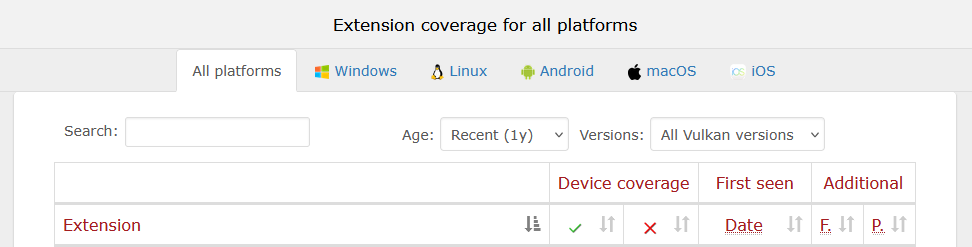
This makes it easier to compare data, and also lets you pass around direct links to filtered extension listings like this. And while not yet exposed via the user interface, you can even filter extension names using an URL parameter to e.g. only display KHR extensions.
I plan on rolling this out globally to all views, as the global settings introduced some time ago seem to confuse people, and having filters right in place (and visible) where they are applied looks to be a better solution in terms of UI/UX.
Other performance improvements
I also reworked a few device coverage queries that have become too slow due to the large amount of data. For example some of the device surface property listings either took very long or ran into timeouts. The reason for this was the use of SQL sub selects. These are fine in some cases, but with the large amount of data now present, using these had a negative performance impact. So I replaced them with SQL joins instead, heavily improving query speed.
API version display
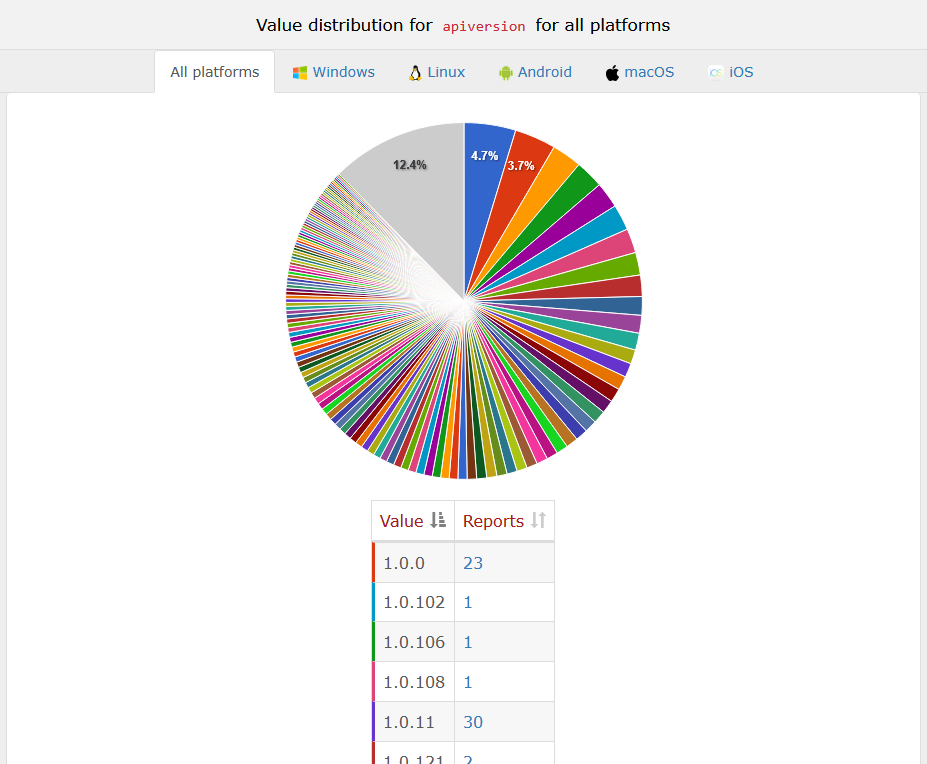
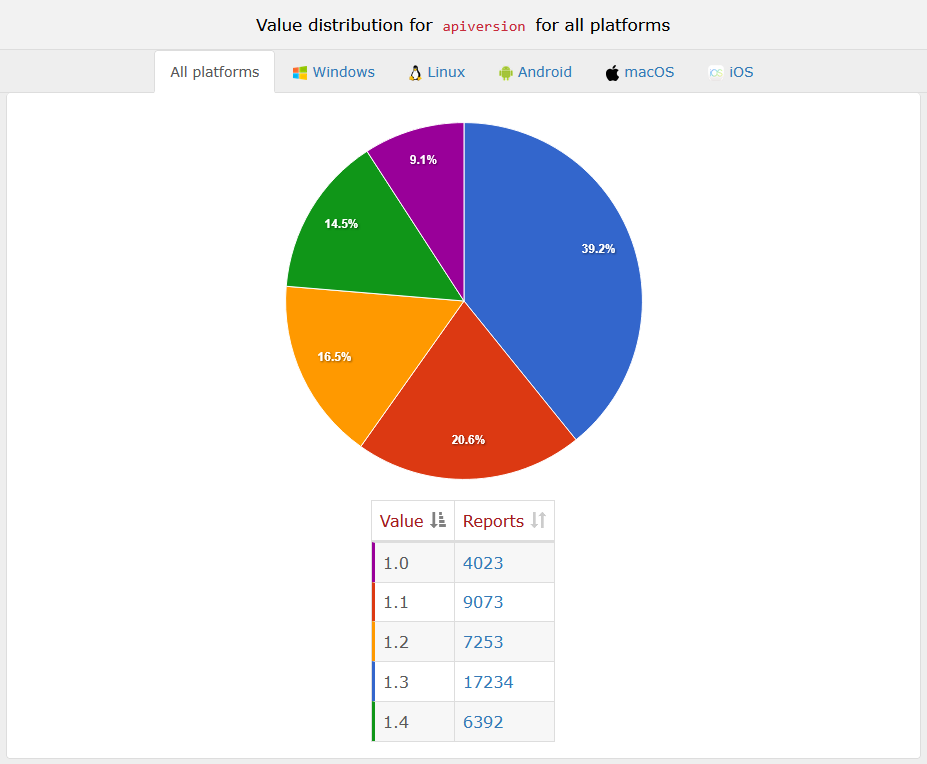
The api version listing has also been reworked. It’s now grouped by the major and minor Vulkan version and no longer includes the patch level. That makes this listings a lot more useful.
Before:
After:
Feedback
If you encounter any bugs or want to see additional filters, feel free to open up an issue at the github repo for the Hardware Database.